
Delete AWS account linkage
Delete the AWS account linkage created in opswitch.
-
From the header menu, click “SETTINGS” - “Linked AWS Account”.
-
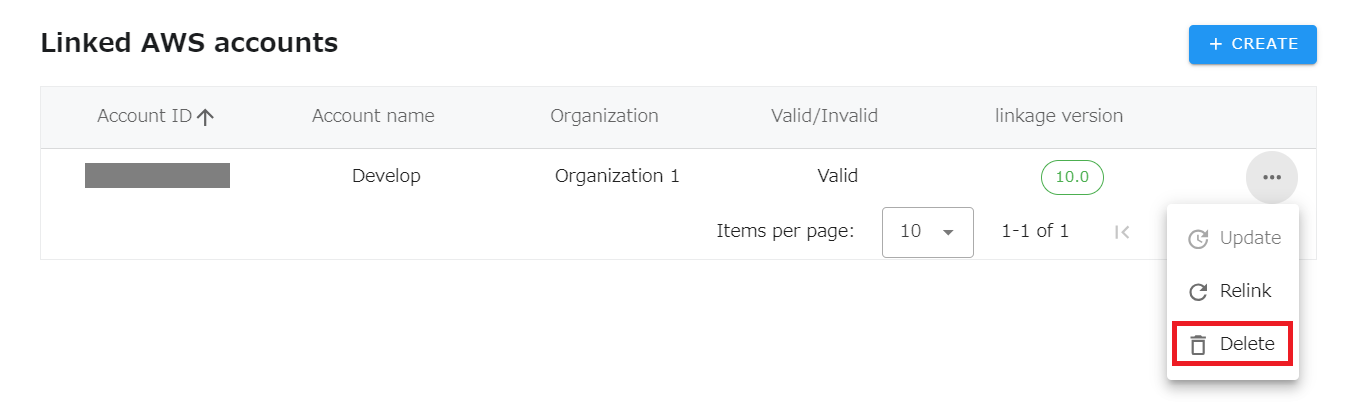
A list of linked AWS account will be displayed. Click on the dot icon of the account you wish to delete.
-
Click on “Delete” from the menu that opens.
-
Click the OK button when a confirmation message appears asking if you are sure you want to delete.
When deleting an linked AWS account, only the link to the AWS account will be deleted. The CloudFormation stack and IAM Role created in the customer’s environment will remain, and if the stack is deleted from the CloudFormation Management Console, the IAM Role will also be deleted.The procedure for deleting a CloudFormation stack is as follows.
- Log in to the AWS Management Console.
- Go to CloudFormation and delete the stack name “opswitch-x-x” or “insightwatch-job-x-x-x” (default), where x is the number of the version information.