Updating the Notification Destination URL Due to the Retirement of Office 365 Connectors in Microsoft Teams
At opswitch, notifications can be sent to Microsoft Teams upon job completion or when an error occurs. Up until now, the incoming Webhook of the Microsoft 365 Connector has been used for notifications to Teams, but it has been announced that the Microsoft 365 Connector feature will be discontinued as of December 31, 2024.
Retirement of Office 365 connectors within Microsoft Teams
In order to continue receiving opswitch job execution results in Teams, please follow the steps below to update the settings.
Create a Teams Workflow
Section titled “Create a Teams Workflow”- In the Workflows application, create a workflow that ‘Post to a chat when a webhook request is received’.
- Please refer to the following for instructions on how to create it
- Be sure to copy the generated URL.
Update opswitch Settings
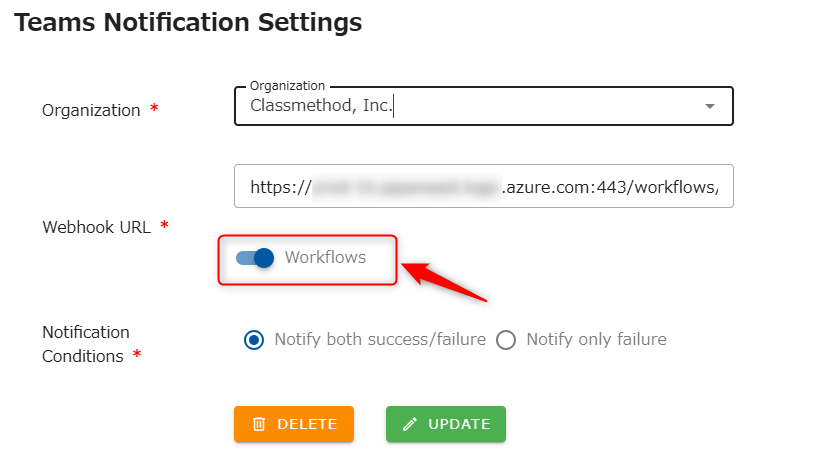
Section titled “Update opswitch Settings”- On the opswitch Teams Notification Settings page, update the Webhook URL. Set the URL copied during the Teams Workflow creation, and turn the Workflows switch ON.