
List of Tasks
In the header menu, click on “TASK” - “EC2” - “EBS Snapshot” or “EC2 Backup” to display a list of tasks. In the list of tasks, you can do the following.
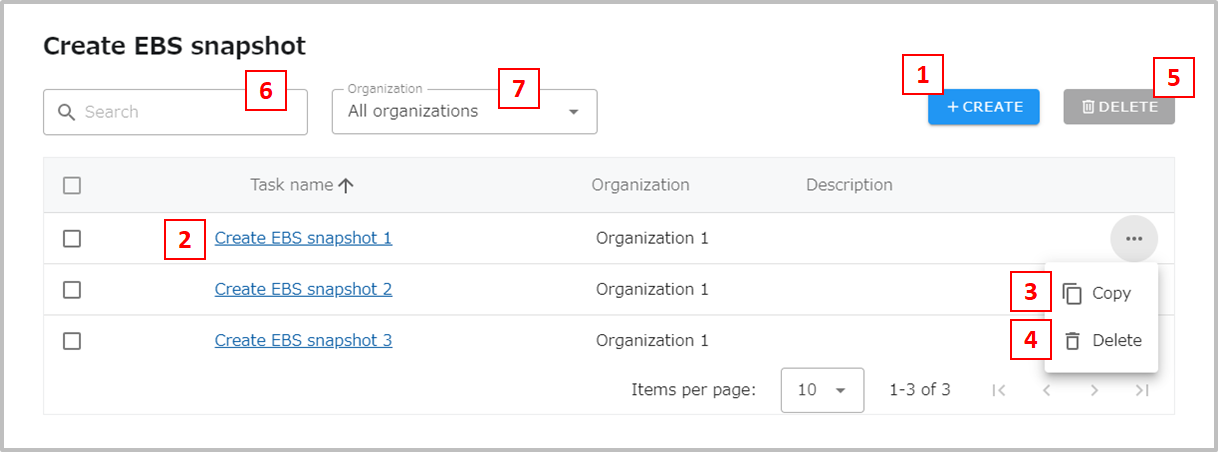
- Moves to the screen for creating a new task.
- Moves to the task editing screen.
- Moves to the screen for creating a new task with the settings copied. The task will not be created until the Save button is pressed on the Create screen.
- Deletes a task.
- Check the tasks you wish to delete and click “Delete” to delete multiple tasks at once.
- Filter by task name.
- Filter by organization.