
Reconnect Disabled Google Cloud Federation
If you accidentally delete the IAM roles or Workload Identity integration created during Google Cloud integration, tasks will no longer be executable. In such cases, by reconnecting with the Google Cloud project, you can resume task execution without changing the task settings.
- From the header menu, click on “SETTINGS” - “Google Cloud federations”.
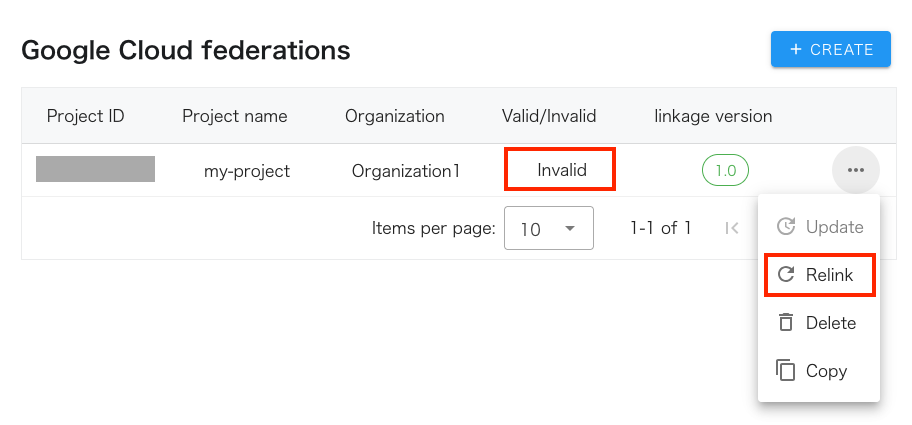
- Relink the disabled Google Cloud federation. Click “Relink” from the menu of the appropriate row.
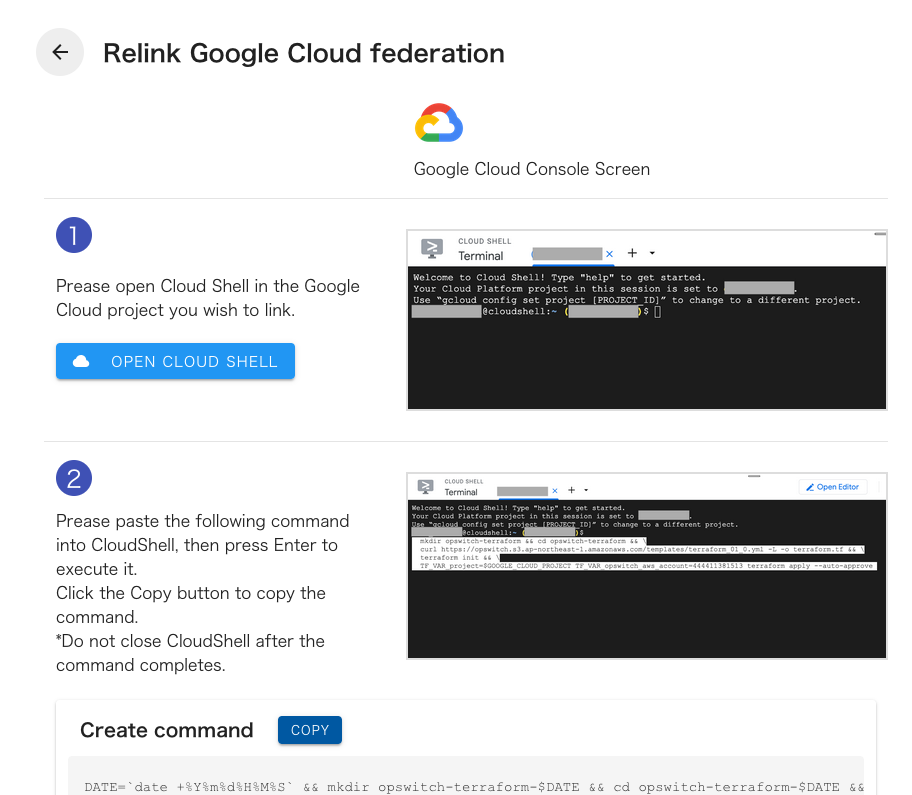
- Follow the on-screen instructions, which are almost identical to those for creating a Google Cloud federation.
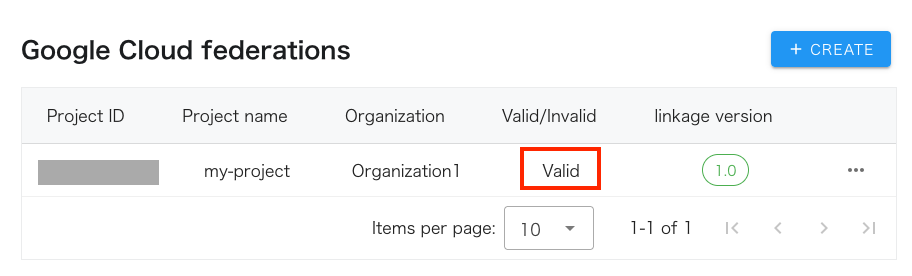
- If you return to the list and the state is enabled, you have succeeded.
- Old Workload Identity integrations and custom roles are not automatically deleted, so please remove them manually.
For resources created during opswitch’s Google Cloud integration, please refer to the following page:
Regarding the Google Cloud resources and IAM custom role permissions created by opswitch during integration (v.1.0)