
Delete Google Cloud federation
Delete the Google Cloud federation created in opswitch.
-
From the header menu, click “SETTINGS” - “Google Cloud federations”.
-
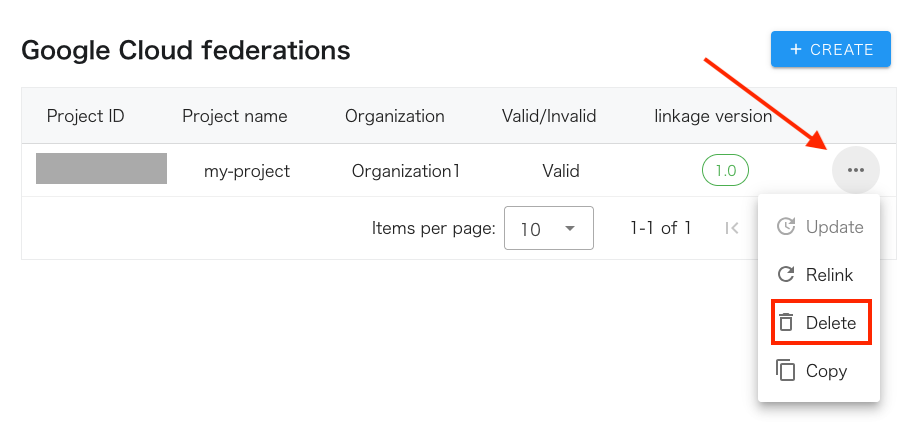
A list of Google Cloud federations will be displayed. Click on the dot icon of the project you wish to delete.
-
Click on “Delete” from the menu that opens.
-
Click the OK button when a confirmation message appears asking if you are sure you want to delete.
When you delete the Google Cloud integration, only the information associated with the Google Cloud project will be deleted. The Workload Identity federation and IAM custom roles created in your environment will remain.
Please delete the resources listed on the following page manually.