
List of Jobs
In the list of jobs, you can do the following.
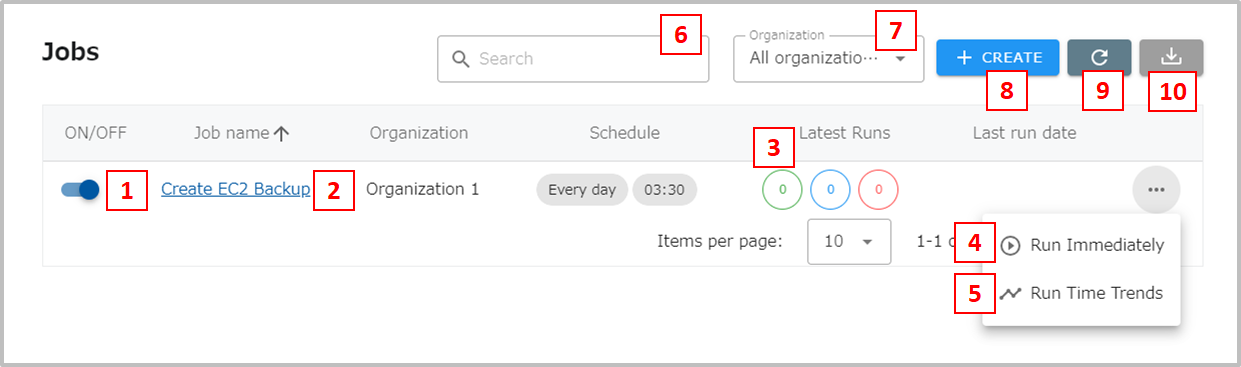
- This is the ON/OFF switch for the job. As shown in the image above, the switch is on the right and blue. When clicked, the switch moves to the left and turns white, indicating that the job is OFF. If the switch is OFF, the job will not be executed even if the date and time are set in the schedule.
- Go to the Job Details screen.
- Displays the number of jobs executed in the past 7 days by status. Click to go to the execution history screen. From left to right: success (green), running or waiting (blue), and failure (red).
- Run immediately. Clickable only when the job is turned on. When clicked, a confirmation message is displayed. Clicking the Run button executes the job.
- Go to the Run Time Trend screen.
- Filter by job name.
- Filter by organization.
- Create a new job.
- Update the status of all jobs in the list.
- Job and task settings can be exported to CSV files. See this page for details.