Run logs
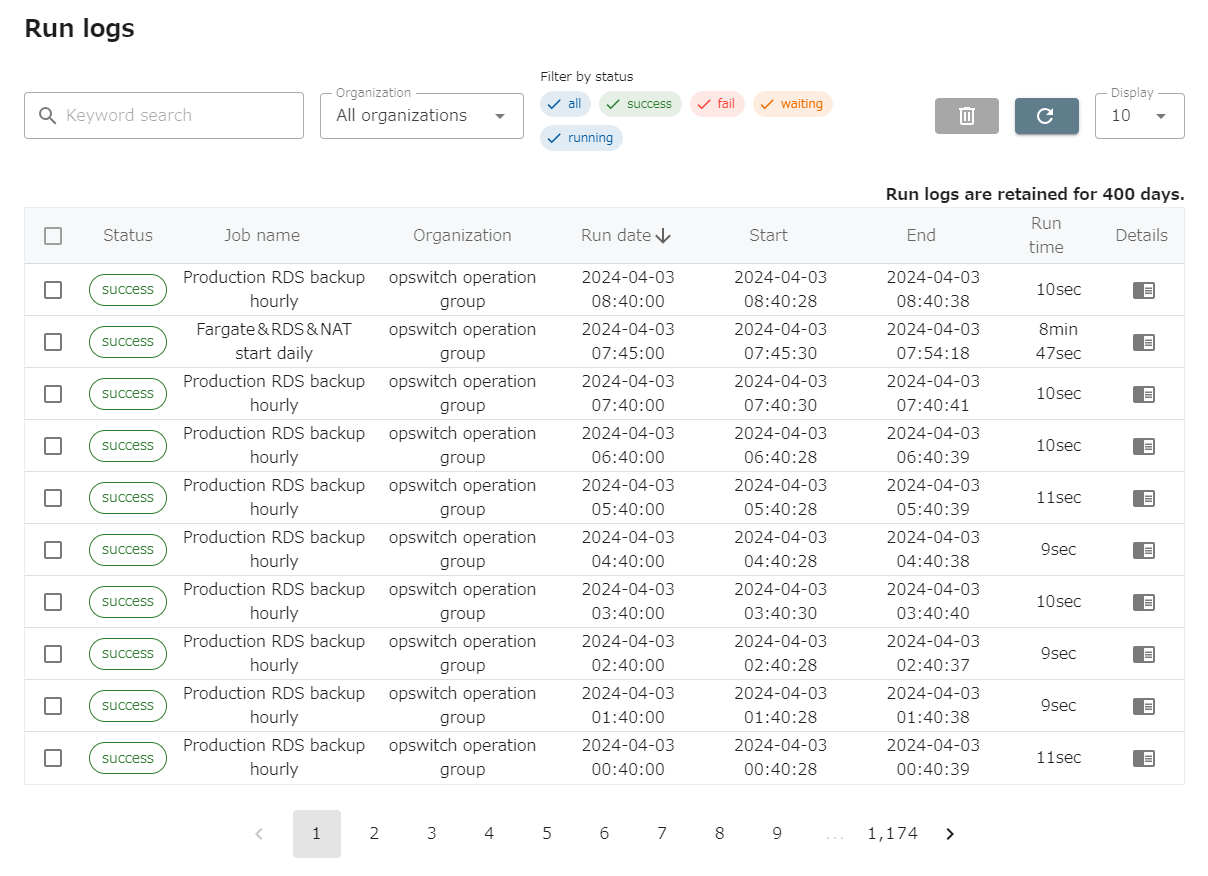
You can check the operation history from the menu “LOGS” - “Run logs” in the header.
Click on the rightmost log column to view the execution log for that job.
In addition to keyword search, you can filter the execution history by organization and status.
If you want to delete the execution history, check the leftmost column and click “Trash” button at the top of the screen.