
Output defined jobs and tasks to CSV
A list of configured jobs and tasks defined for the job can be exported to CSV.
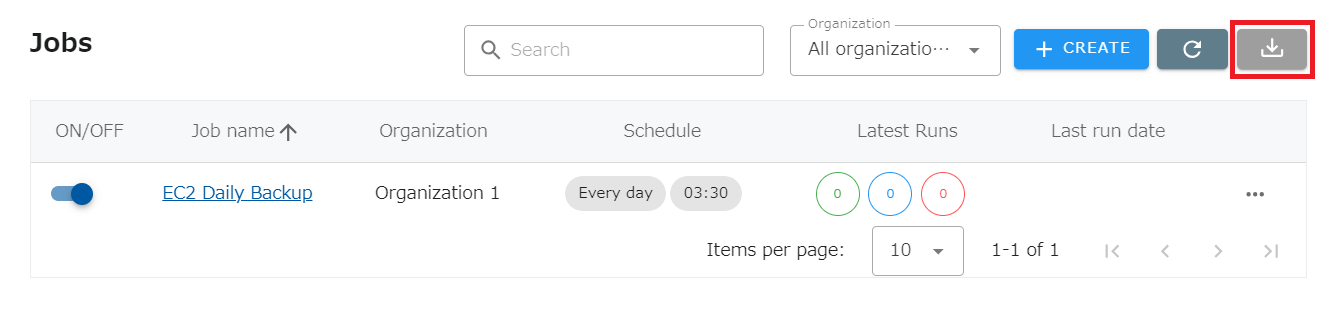
Select “JOBS” from the header menu and click the button in the image below.
Output CSV Layout
Section titled “Output CSV Layout”The output items are as follows: one line per task, so if a job has two tasks, there will be two lines.
(For a task with no settings, ” - ” will be output.)
- Job name
- Run switch (ON/OFF)
- Organization name
- Last run date and time
- Schedule timing
- Schedule settings
- Acceptable delay time
- Skip holiday execution
- Date to skip job execution
- Organization holiday settings name
- Language
- Timezone
- Task Type
- Task Name
- Target AWS Account
- Target Google Cloud Project
- Target Region
- Target tagKey
- Target tagValue
- Status check before exit
- Specific settings
*Notes
If special symbols are included in the job name or task name, the symbols may be ”? or CSV output may result in an error.