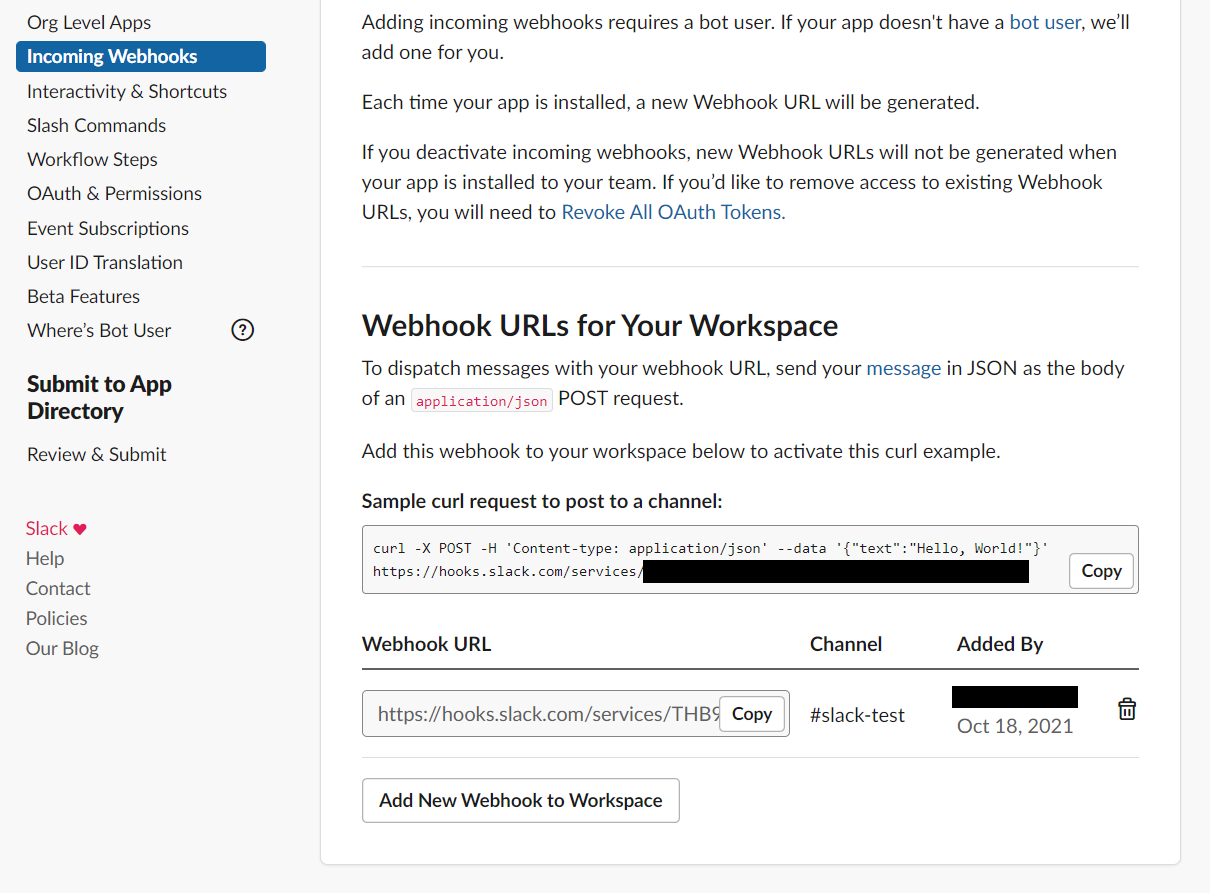
How to Create a Slack App and Webhook URL
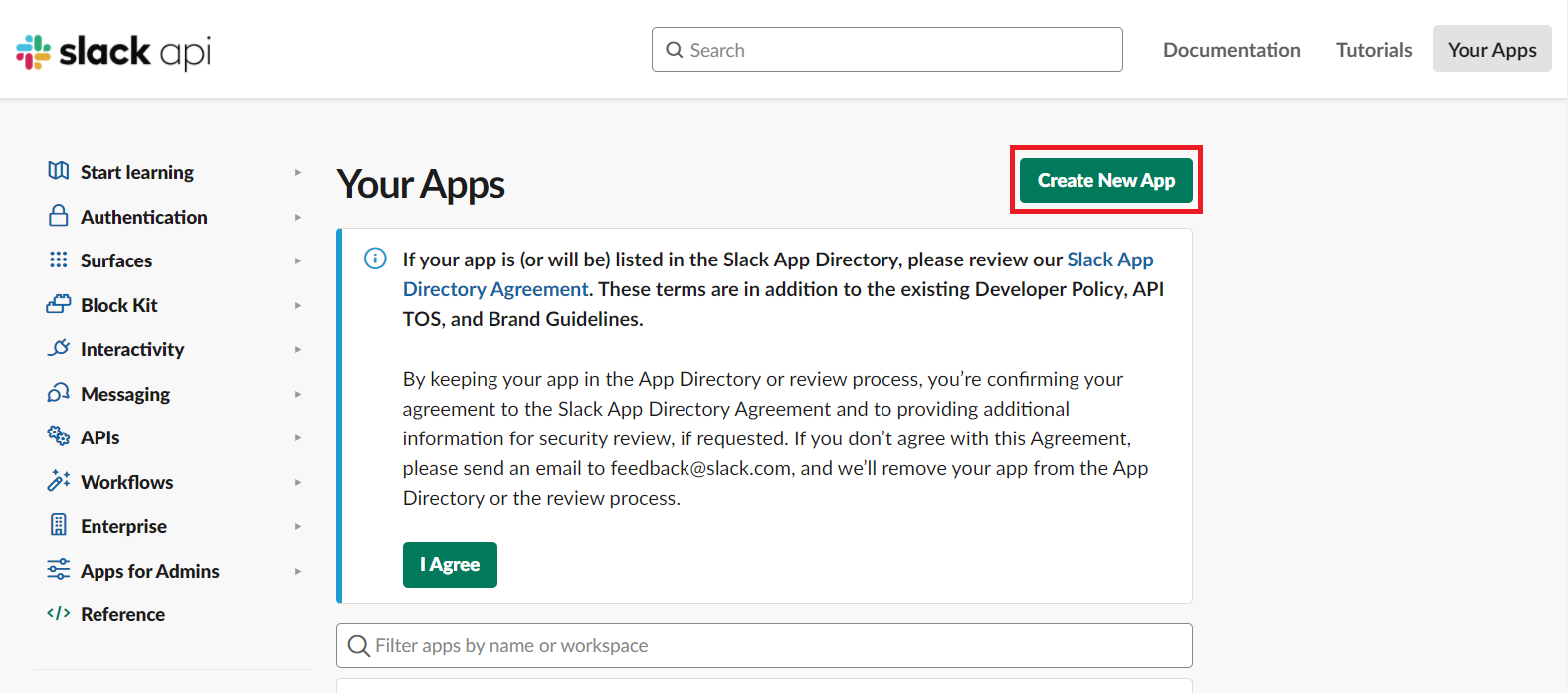
- While logged in to Slack, open https://api.slack.com/apps/.
Press the “Create New App” button in the upper right corner.
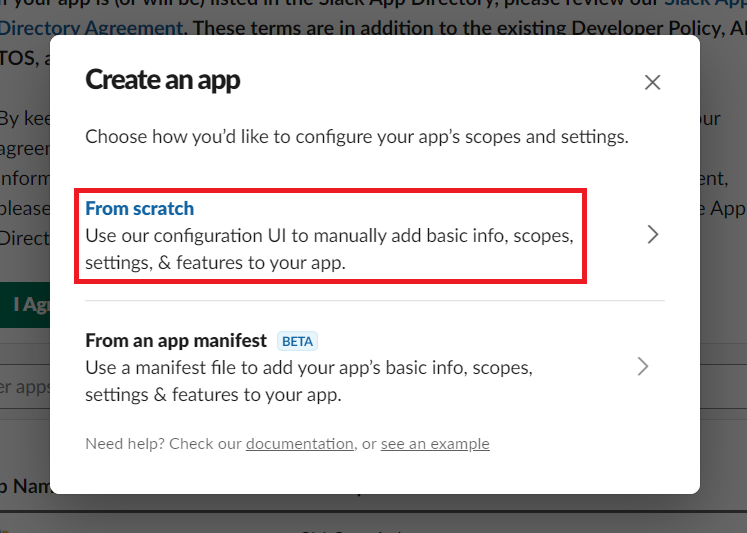
- Select “From scratch.”
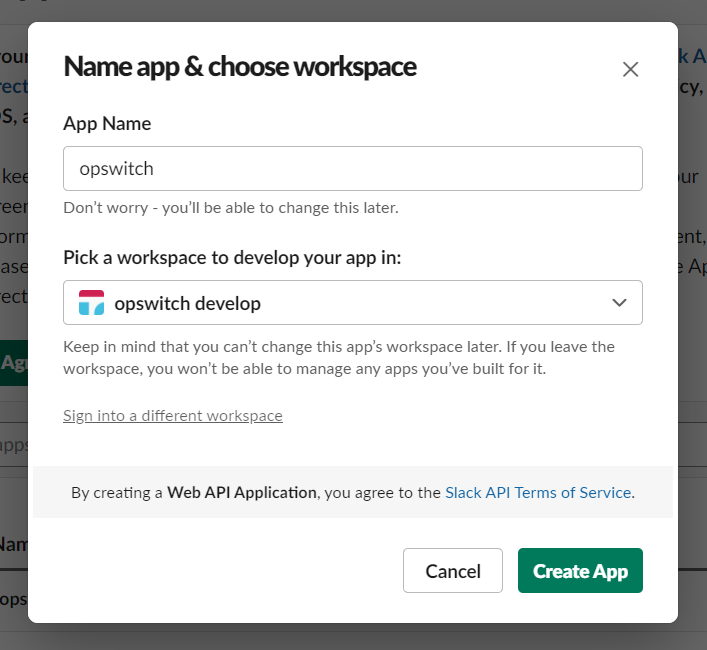
- Enter any application name and select the name of the workspace to be linked.
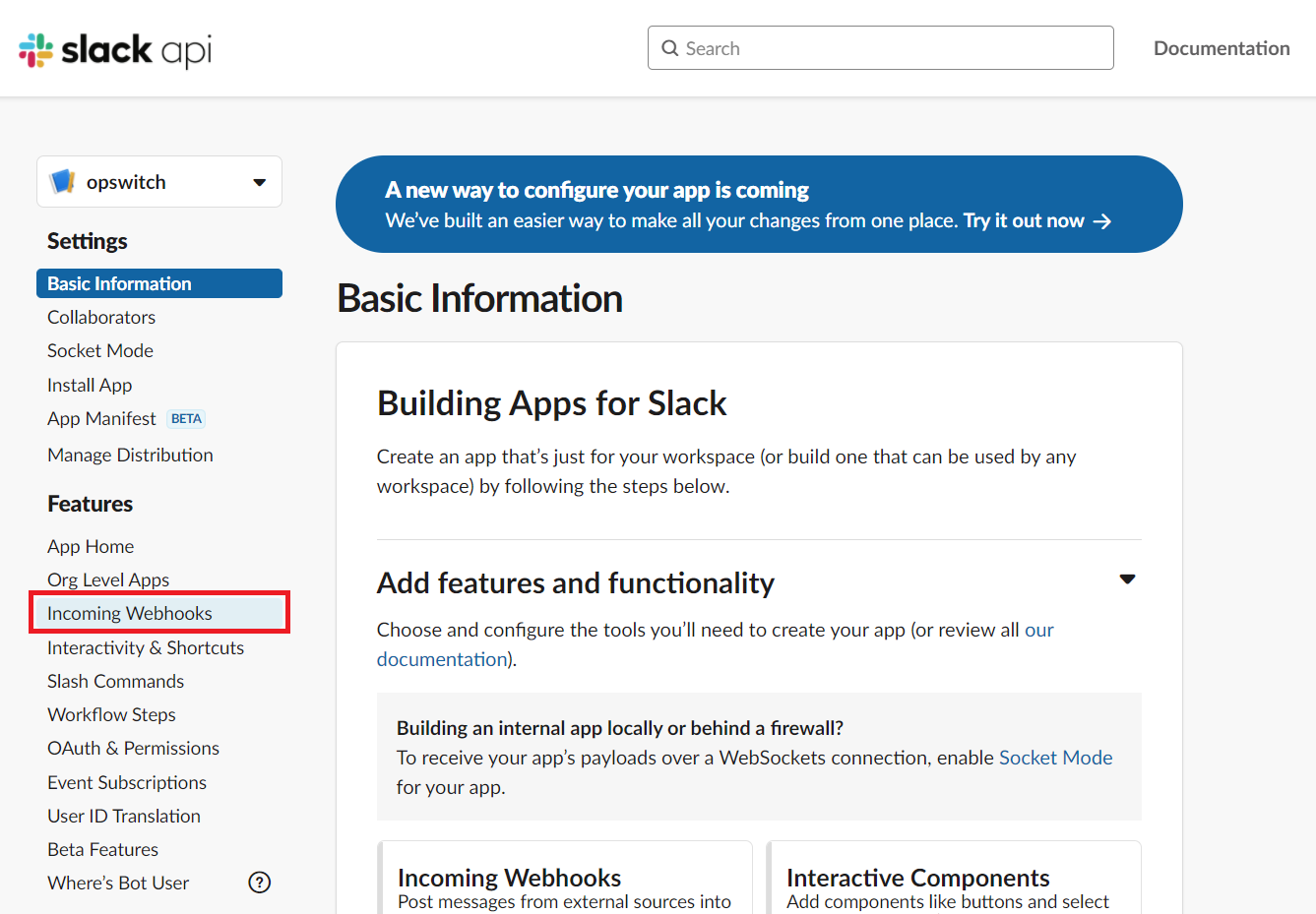
- You have created a Slack application. Next, create a Webhook URL. Select Incoming Webhooks from Features on the left.
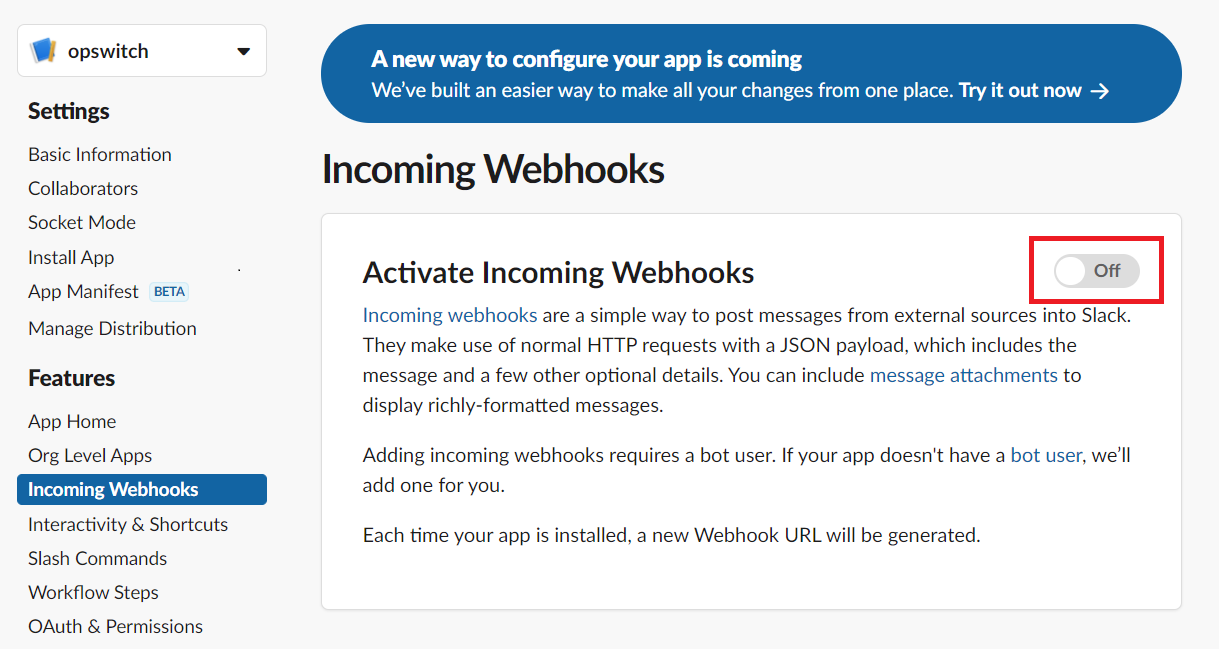
- Click the switch to enable the Webhook URL.
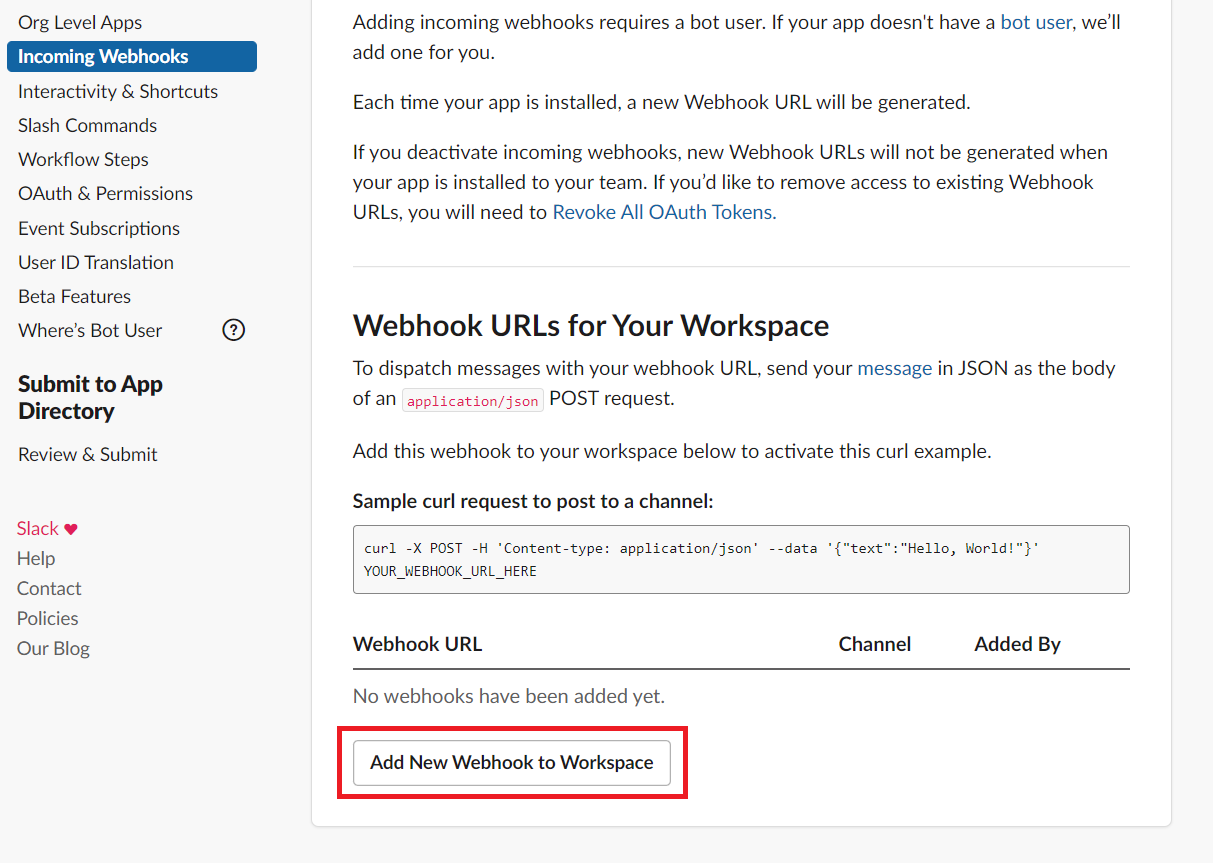
- Scroll down the screen and you will see a section called Webhook URL. Press the “Add New Webhook to Worksace” button.
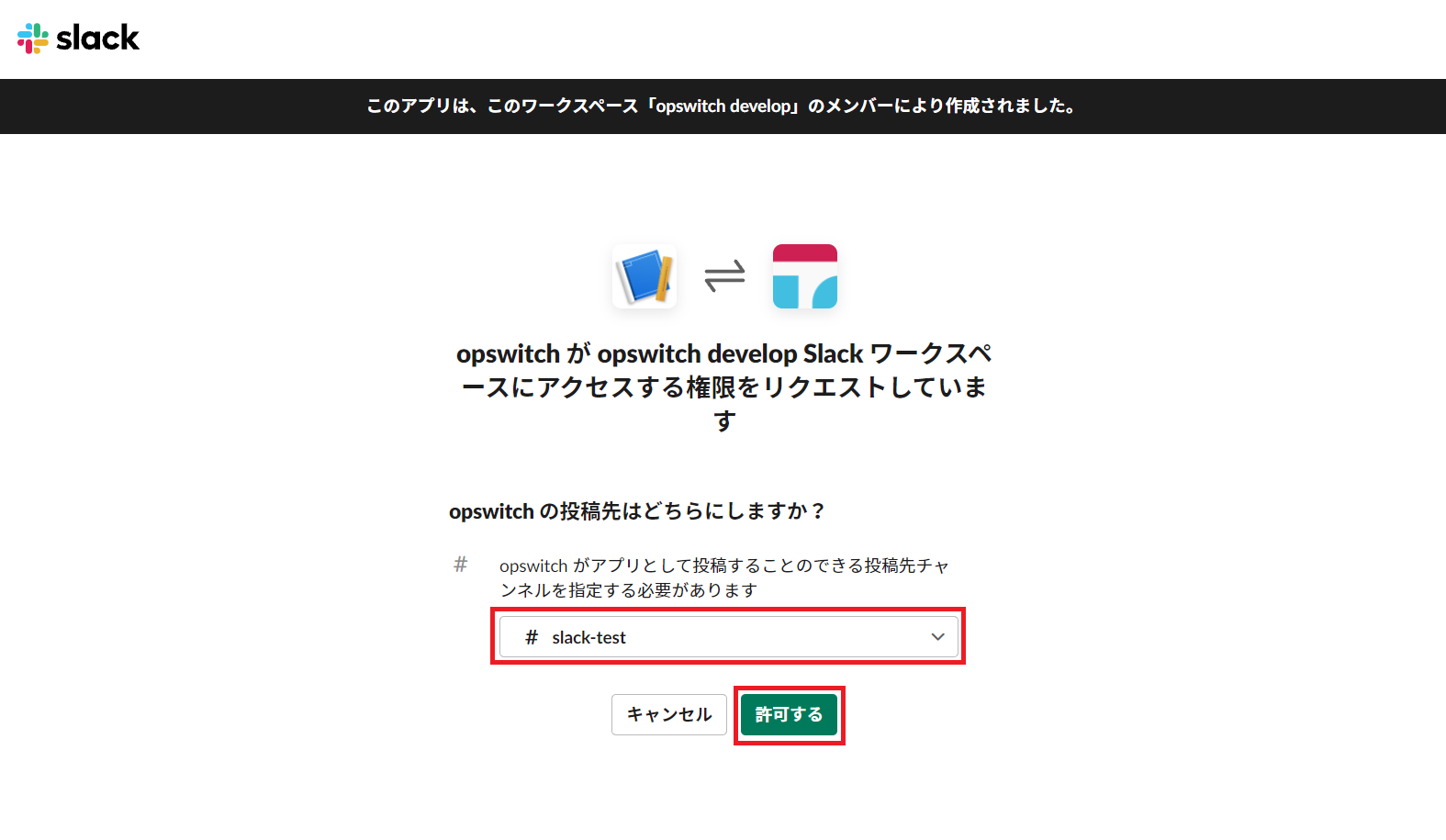
- Select the channels to be linked and allow.
- A Webhook URL has been created.