Change language
You can change the language of opswitch to English. There are two ways to change the language.
1. Set the language in your browser
Section titled “1. Set the language in your browser”if you change the language setting of your browser to something other than Japanese, the language will be English. If you change the language setting to Japanese, the language will be Japanese. Please see below for how to change the language setting.
Click here for Google Chrome.
Click here for Microsoft Edge.
2. Set the language in opswitch
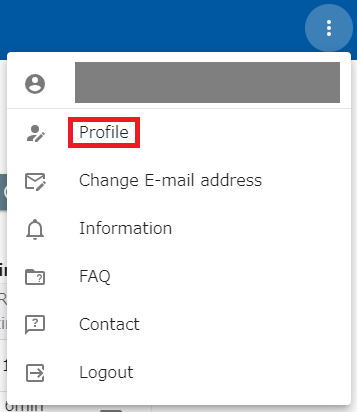
Section titled “2. Set the language in opswitch”Open the Profile screen from the menu in the upper right corner of the header.
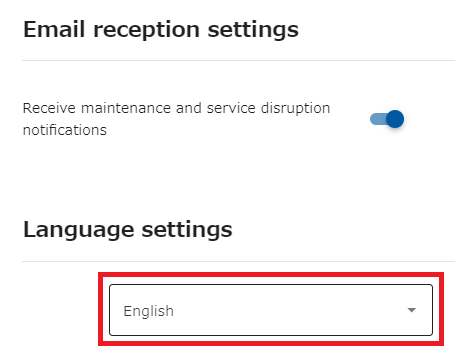
Select either “Japanese” or “English” in the language settings. This setting takes precedence over the browser’s language setting.