About organization holiday settings
By creating organization holiday settings and associating them with jobs, you can configure holiday settings for multiple jobs in your organization at once.
Click “Settings” - “Holiday Settings” in the header menu.
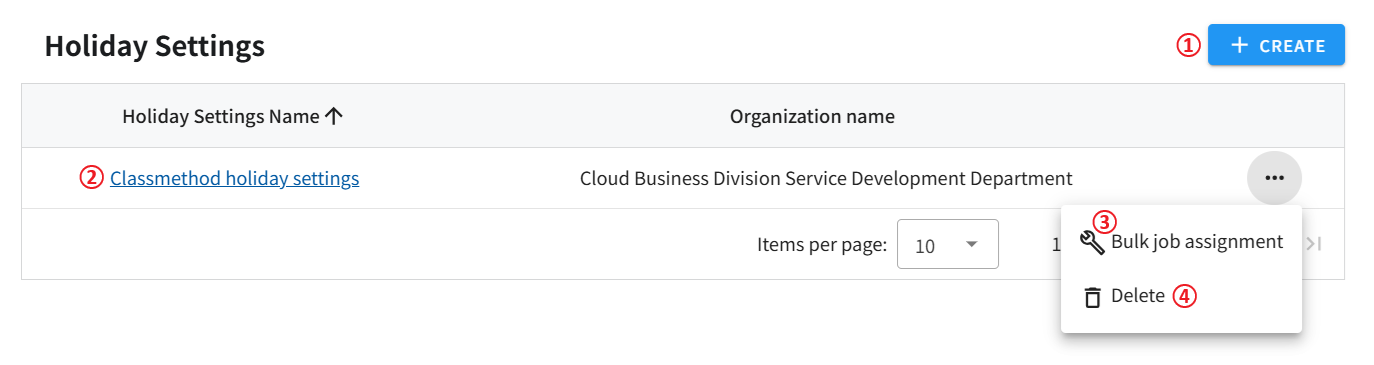
- Navigate to the organization holiday settings creation screen. For more information, see Create organization holiday settings.
- Navigate to the existing organization holiday settings edit screen. see Update organization holiday settings.
- Delete existing organization holiday settings.
- Holiday settings associated with jobs will also be deleted. Associate holiday settings with jobs.
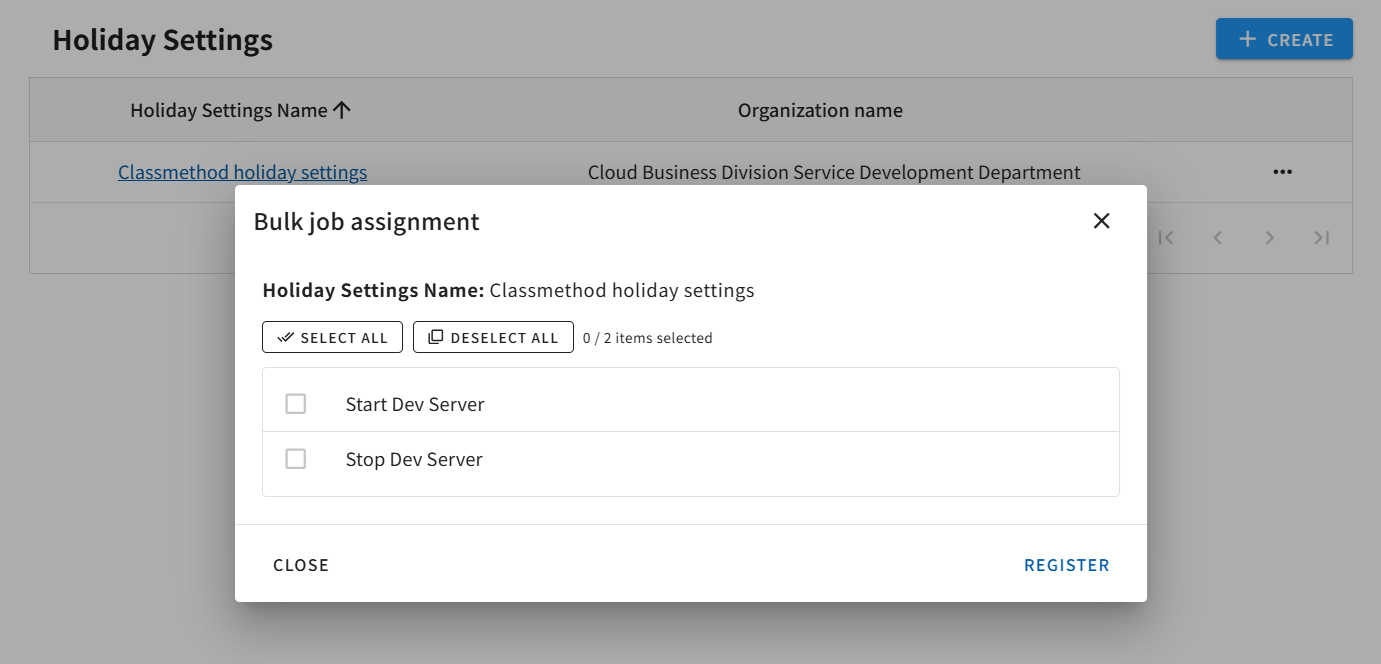
Bulk setting and bulk canceling for jobs
Section titled “Bulk setting and bulk canceling for jobs”Check the job you want to set as a holiday and click the Register button. After setting the holidays for all jobs at once, if you open this screen again and uncheck the box to register, the settings will be canceled. Please note that any individual settings already set for the job will be overwritten.