
Link to your AWS account
You will need to link your AWS accounts in order to set up permissions to manipulate resources in your AWS environment.
- From the header menu, click “SETTINGS” - “Linked AWS Account”.
- Click the “Create” button in the upper right corner of the list.
- The “Create AWS Account Linkage” screen will open. Follow the steps on the screen to link your AWS account.
*If you move to another page or close your browser during these operations, please delete the CloudFormation stack and start over. Deleting the stack will not affect your system.
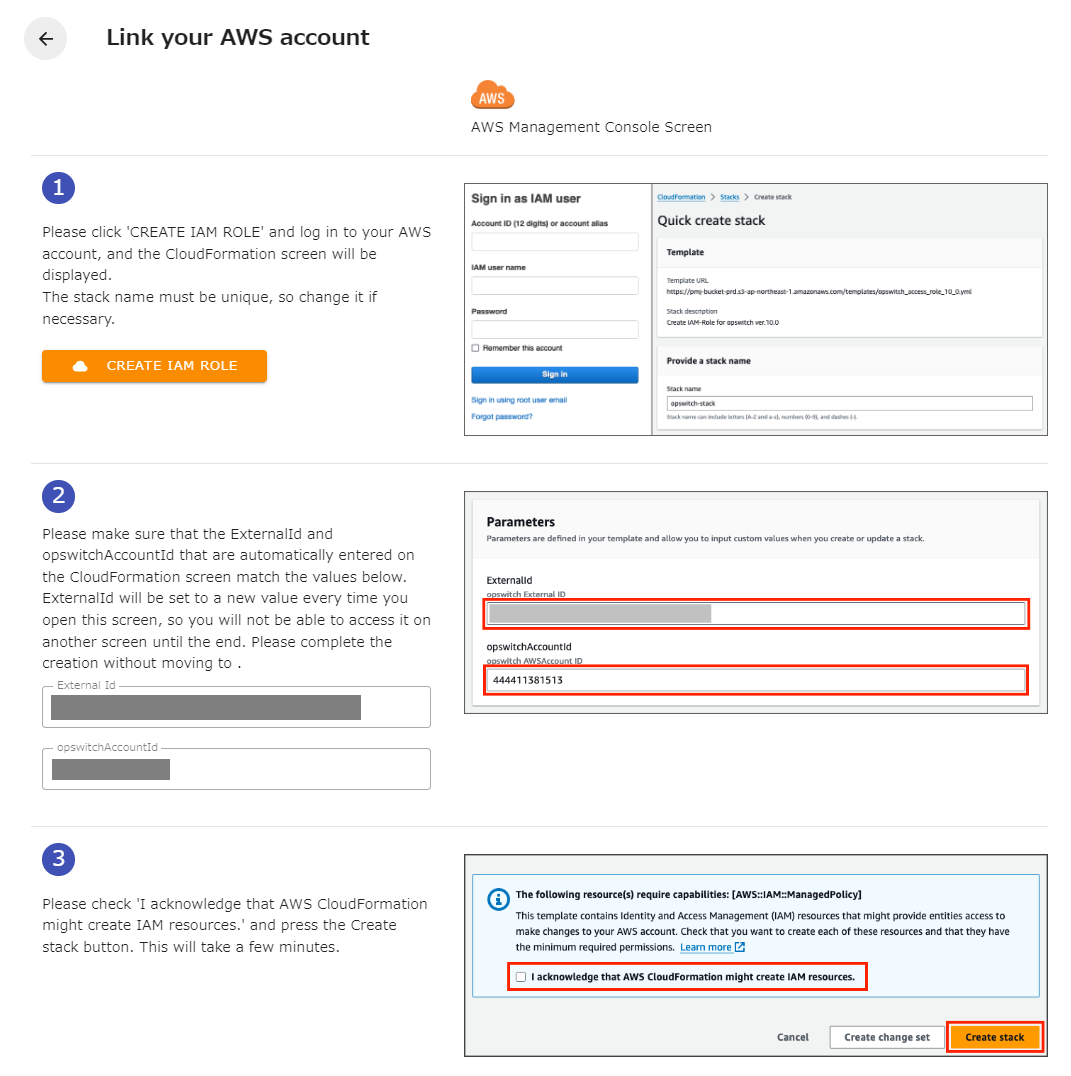
The minimum IAM Pocliy required to run CloudFormation in the Management Console and create IAM roles is as follows Please login with a user account that has the following permissions.
CloudFormation
Section titled “CloudFormation”- ListStacks
- DescribeStacks
- GetStackPolicy
- GetTemplate
- GetTemplateSummary
- DescribeStackEvents
- CreateStack
- DeleteStack
- ListStackResources
- ListChangeSets
- ExecuteChangeSet
- DescribeChangeSet
- ContinueUpdateRollback
- GetPolicy
- GetRole
- CreateRole
- CreatePolicy
- AttachRolePolicy
- DeleteRole
- DeletePolicy
- DeleteRolePolicy
- DetachRolePolicy
- ListPolicyVersions
- ListRoles
- CreatePolicyVersion
- DeletePolicyVersion
The permissions of the IAM Role created after AWS account linking are listed on the following page.