
Operation logs
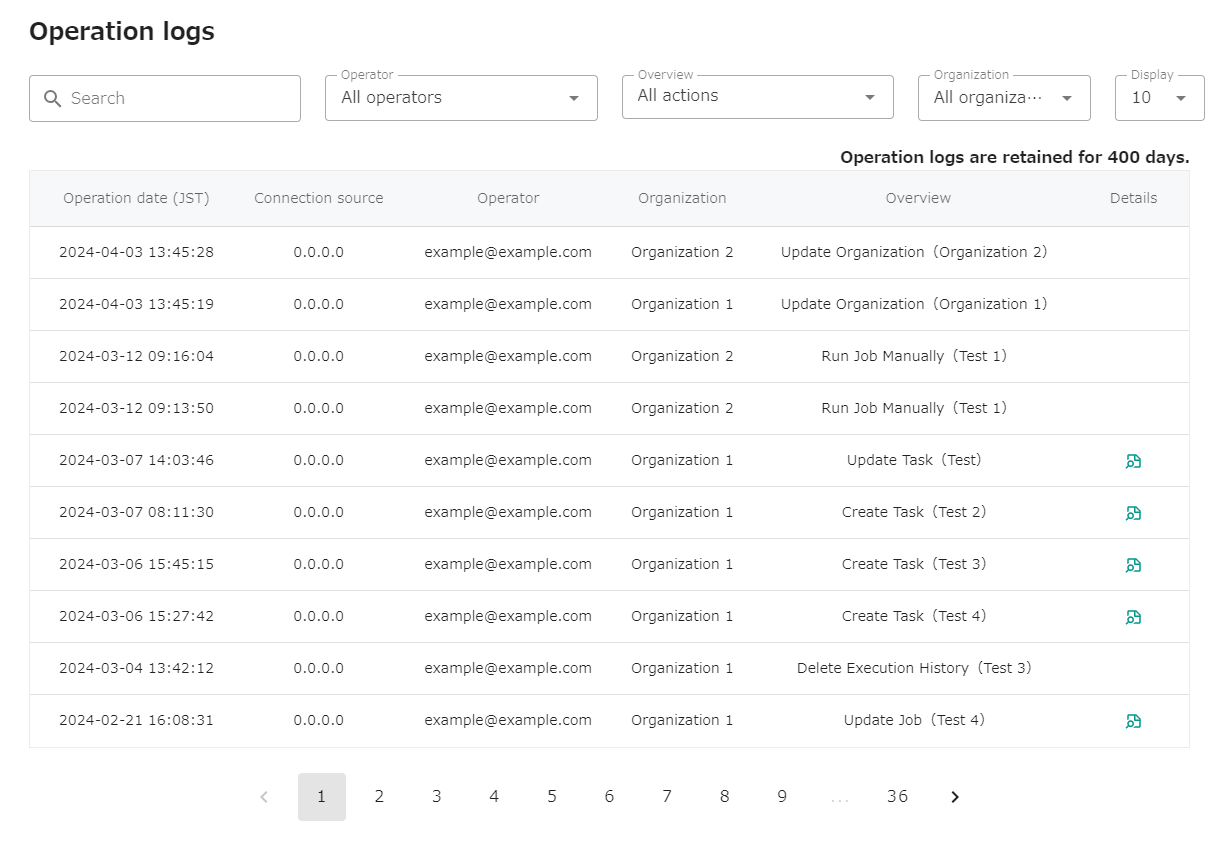
You can check the operation history from the menu “LOGS” - “Operation logs” in the header.
Details
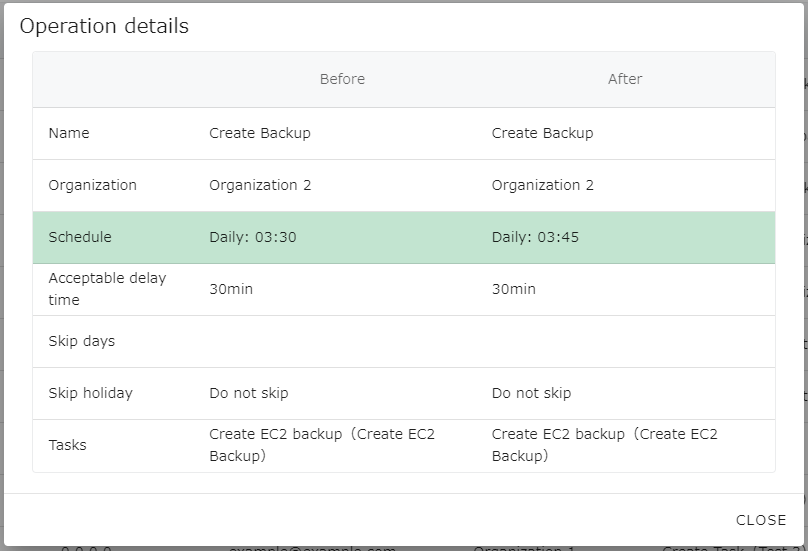
Section titled “Details”In the case of a task creation/update or job creation/update operation, its details can be viewed. Click on the icon in the Details column at the far right of the list to see the details of that operation.
Information to be recorded
Section titled “Information to be recorded”opswitch records the following information as part of the operation history.
- Date of operation
- Source IP address
- Operator
- Target organization of the operation
- Description of operation
Operations to be recorded
Section titled “Operations to be recorded”opswitch records the history of the following operations
- Create, update, and delete jobs
- Manual execution of jobs
- Disable and enable jobs
- Create, update, and delete tasks
- Create, update, and delete AWS account linkages
- Update notification settings
- Update user information
- Change email address
- Creating, updating, and deleting Organizations
- Creating, deleting, and changing permissions of users belonging to an organization
- Accept or reject invitations to join an organization
- Delete job execution history
Subject of the operation history displayed in the list
Section titled “Subject of the operation history displayed in the list”The operation history by the person who performed the operation and the operation history by users belonging to the same organization are displayed in the list.